


 The Montclair Girl Team

For the first time, Google is letting its users have more control over which news sources show up first in its search engine. The new feature, named Preferred Sources, allows you to input your favorite newsroom, media company, or blog to get its results first, and here’s the good news: it works for The Montclair Girl, too! Read on for a guide on how to select The Montclair Girl as your preferred source on Google.

About Preferred Sources + How to Select The Montclair Girl as One of Yours
A preferred source, according to Google, is a way to “select your favorite sources and stay up to date on the latest content from the sites you follow and subscribe to.” When you select a website as a preferred source, its stories will appear more frequently at the top of your Google search when fresh and relevant. In the hyperlocal space, fact-checked/based news is more important than ever, and selecting The Montclair Girl as a preferred source ensures that your news feed will remain accurate and misinformation-free.
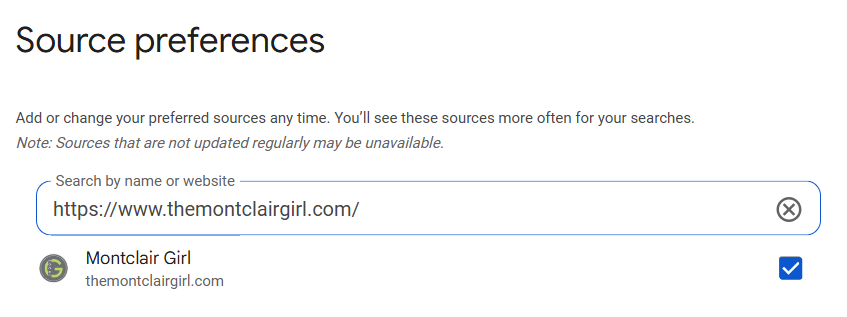
Here’s how to select The Montclair Girl as your preferred source:
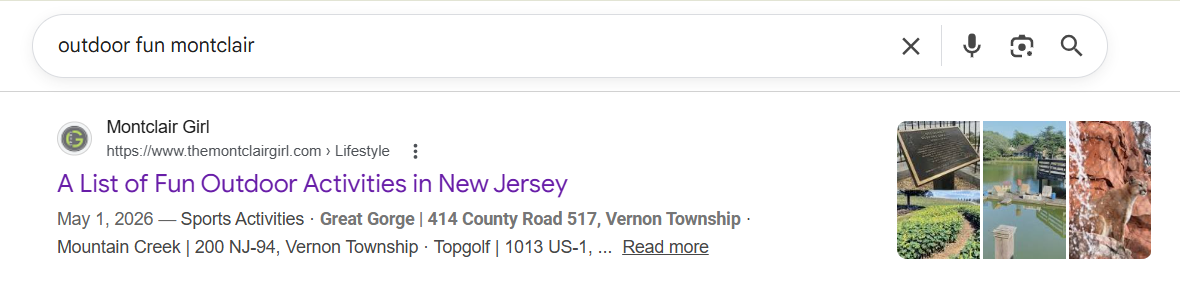
Follow this link to reach Google’s Preferred Source settings. It should already have themontclairgirl.com in the search bar, but if it does not, enter the URL and then click the check box. Afterwards, you can click “Take me to Google Search,” and it will bring you back to Google’s homepage, where you can then search for topics with our articles at the top of your search engine.
Follow @themontclairgirl on Instagram + TikTok for the latest Montclair updates, sign up for our weekly newsletter here that shares everything you missed each week, and check out our events calendar, which has over 100+ events weekly to peruse.